SG Passport Photo Requirements in 2026: Official Specs and Compliance
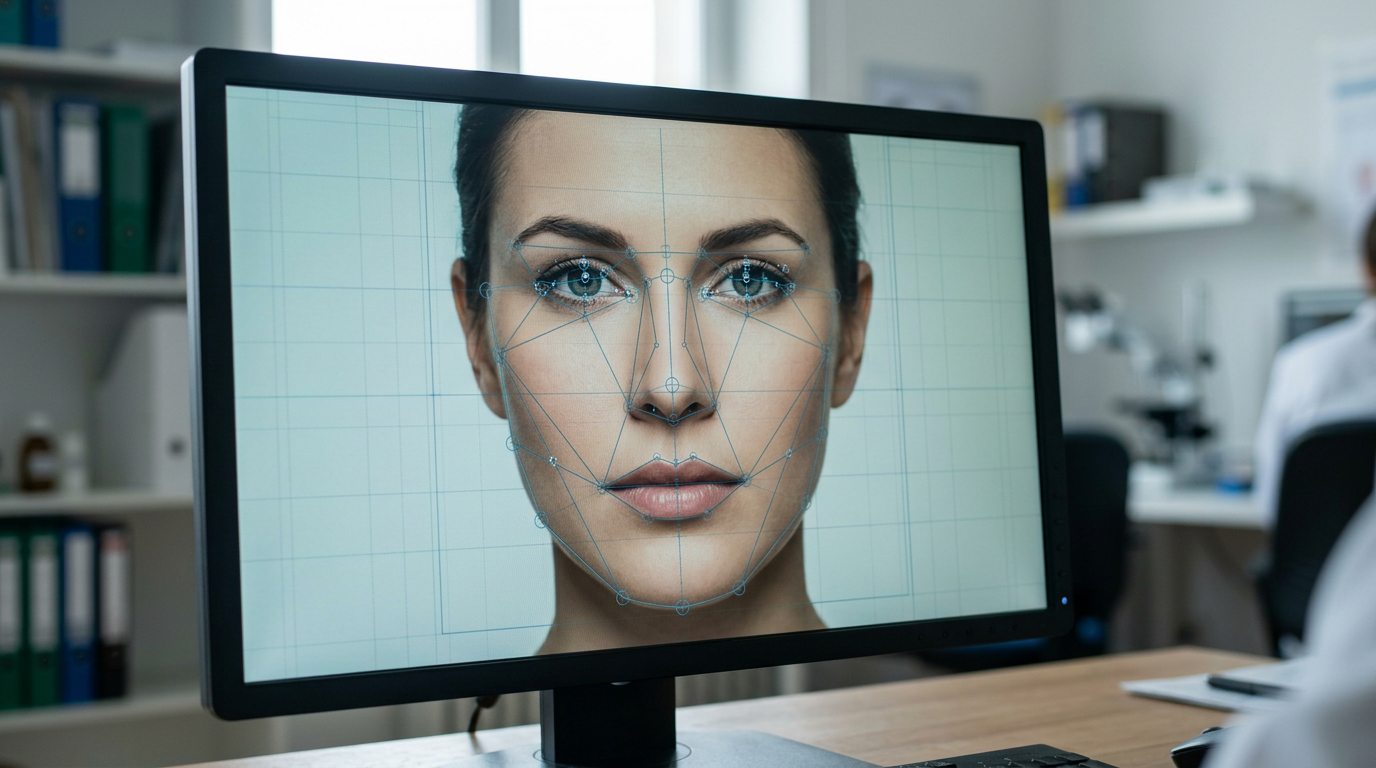
Submitting an image to Singapore's Immigration & Checkpoints Authority (ICA) portal is not a visual check by a human officer; it is a machine-validation sequence that measures interpupillary distance, analyzes focal symmetry, and checks edge contrast before a human ever sees the file. A parent uploading a seemingly perfect picture often receives an immediate automated rejection because the underlying metadata or pixel mapping fails the SG passport photo requirements. Understanding how this biometric engine interprets an image prevents the loop of continuous submission errors. Instead of guessing which shadows matter or why a background removal tool triggered a failure, applicants need to address the structural requirements of the image file itself. The digital architecture of the portal demands strict adherence to dimensions, lighting geometry, and file properties that consumer smartphone cameras are not inherently programmed to deliver out of the box.
Quick Summary
The Singapore ICA requires specific biometric and dimensional standards that rely on automated verification rather than manual review.
- Digital submissions must measure precisely 400 by 514 pixels under a 2MB limit.
- Biometric algorithms reject photos with altered backgrounds due to edge-pixel artifacting.
- Infant photos fail frequently due to compressed neck angles altering the required 25-35mm facial ratio.
- Physical applications demand matte paper to prevent document scanner glare at the consulate.
Table of Contents
- Why the ICA Rejects Digital Edits That Look Flawless
- How Lighting Angles Trigger Facial Recognition Failures
- The 400x514 Pixel Constraint Explained
- Where Infant Positioning Breaks the Boundary Rules
- What Happens When Background Removal Leaves Artifacts
- Why Matte Paper Beats Glossy for Physical Submissions
- FAQ
- Recommended Reads
Why the ICA Rejects Digital Edits That Look Flawless
When an applicant edits a photograph on their phone using standard markup software or a generic eraser tool, the application automatically rewrites the Exchangeable Image File Format (EXIF) data. Government digital portals scan this metadata to detect software manipulation before analyzing the pixels. If the system flags a synthetic background or airbrushed skin layer, it halts the application immediately. The core facial recognition algorithm relies on mapping exactly 68 nodal points across the human face to verify identity. If any of those biometric points have been blurred by a digital beauty filter or a harsh background removal tool, the engine cannot lock onto the facial geometry. The system remains entirely indifferent to how appealing the subject looks; it only registers whether the pixel contrast at the jawline matches a natural focal drop-off. Applicants often attempt to bypass these failures by downloading generic consumer editing applications that compress the image further. However, reviewing the 4 Best Tools for an Online Passport Size Photo in 2026 demonstrates that only processing tools specifically programmed to preserve biometric markers while formatting the image will pass the ICA automated checks. A practical check you can perform today is inspecting your image file's properties on a desktop computer. If the program name field lists a generic photo manipulation suite rather than the original camera hardware or a certified biometric processor, your risk of automated rejection increases. The algorithm treats digital alteration as tampering, resulting in an immediate automated failure regardless of the visual outcome.
How Lighting Angles Trigger Facial Recognition Failures
The biometric scanner evaluates depth by measuring the gradient of light across the facial structure. A single overhead light casts heavy shadows under the eyes, beneath the nose, and along the jawline. The software misinterprets these harsh shadows as varying facial depth, effectively altering the measured shape of the cheekbones in the digital map. Conversely, a strong direct camera flash creates a specular highlight - a bright white reflection - on the forehead, the tip of the nose, or the cheeks. The algorithm reads pure white pixels on the skin as missing data, causing an immediate verification failure. You must achieve flat, even illumination across the entire face. For home setups, this means facing a large window during daylight hours without direct sunlight hitting the skin, forcing the light to wrap evenly around both sides of the subject's face. As detailed in How to Get the Correct Passport Size Photo in 2026: Official Guidelines and Standards, uneven background lighting constitutes a primary failure point. If the background is bright white on the left side but fades to light gray on the right due to a nearby window, the contrast detection algorithm fails to find a sharp boundary on the darker side. You can check your own lighting by zooming in on the pupils of the subject after taking the shot; there should be a single, symmetrical light reflection in both eyes. The shadow cast by the chin should fall straight down onto the neck, never skewing to one side or stretching onto the background itself.
The 400x514 Pixel Constraint Explained
The ICA portal enforces a hard dimensional constraint of 400 pixels in width and 514 pixels in height for all digital uploads. This is not a rough guideline; uploading a standard square image or an uncropped 4:3 smartphone photograph forces the portal's internal cropping tool to guess the correct facial boundaries. If the automated tool zooms in too far, the crown of the head is severed. If it remains too wide, the face falls below the mandated 25 to 35 millimeter equivalent physical sizing. These digital constraints operate differently than many other regional requirements. For instance, families juggling multiple international visas might be familiar with the 35x45 mm nepali passport photo size, which shares the identical physical millimeter dimensions as the Singapore print standard but utilizes different background color tolerances. Similarly, if you analyze the standard nepalese passport photo size, you will find distinct variations in how much chest space must remain visible below the collarbone. For a Singaporean submission, the digital crop must leave enough space above the head to demonstrate the background, while anchoring the eyes firmly in the middle third of the vertical space.
| Dimension Metric | Singapore (Digital ICA) | Singapore (Physical Print) | International Benchmark |
|---|---|---|---|
| Overall Bounds | 400 x 514 pixels | 35 x 45 mm | 35 x 45 mm |
| Facial Measurement | 25 mm to 35 mm equivalent | 25 mm to 35 mm | 25 mm to 29 mm |
| File Size Ceiling | 2 MB | N/A (Paper submission) | 5 MB typical |
| Background Rules | Pure white, zero texture | Pure white, matte finish | Light grey or pure white |
To ensure you meet these exact pixel targets without stretching or distorting the image, you must resize the image using a fixed aspect ratio tool rather than a free-hand drag-and-crop method. For a comprehensive look at how physical limits translate to digital pixels, reviewing Passport Size Photo Dimensions in 2026: How to Meet Standard Requirements and Avoid Rejection provides a clear mapping of the conversion process. The easiest way to verify your file before uploading is to check the image properties: exactly 400x514 pixels, strictly under 2MB, and saved explicitly in JPEG format.
Where Infant Positioning Breaks the Boundary Rules
The ICA requires the subject to look directly at the camera with eyes open, mouth closed, and both edges of the face equally visible. For an adult, this simply requires sitting straight. For an infant lacking neck control, this presents a severe geometric problem. When a baby is laid flat on their back, their heavy head tilts backward, exposing the underside of the chin and hiding the crown of the head. This fundamentally alters the vertical facial measurement, dropping it below the required 25 millimeters. If a parent props the baby up against a pillow, the chin compresses tightly into the chest, creating a false jawline that the biometric engine cannot parse. Furthermore, infant hands frequently enter the frame, or parents' fingers become visible supporting the neck, both of which trigger an immediate failure for foreign objects in the frame.
Practical rule: To secure the correct head angle for an infant without bringing hands into the frame, place a rolled hand towel securely under the white sheet beneath their upper back, elevating their chest and allowing their chin to fall naturally forward into a perpendicular alignment with the camera lens.
Another critical failure mode involves the background fabric. Parents often lay babies on a bedsheet that carries heavy creases or subtle woven patterns. The digital scanner picks up these textures as non-compliant shadows. You must iron the sheet entirely flat and pull it taut beneath the child. For parents trying to navigate what clothing contrasts best against this stark background to prevent the baby's shoulders from blending into the sheet, consulting What to Wear for Passport Photos: Guidelines for Official Compliance in 2026 offers concrete strategies for establishing edge contrast. You can verify your infant's photo today by drawing an imaginary line across the tops of both ears; if the line does not run perfectly parallel to the top edge of the photo, the head is tilted and the submission will fail.
What Happens When Background Removal Leaves Artifacts
The Singapore submission system demands a purely white background with zero texture. When applicants capture a photograph against a cream wall and attempt to edit the background out using standard smartphone tools, the result is rarely a clean cutout. Mobile algorithms struggle immensely with hair, particularly fine or frizzy strands. They often execute a harsh crop that creates a helmet effect, severing wisps of hair and leaving a pixelated, sharp edge that does not exist in nature. The ICA's submission portal analyzes the transition matrix between the subject and the background. A natural photograph features a slight optical blur at the very edge of the subject due to lens mechanics. An artificially removed background features a hard stop where one pixel is entirely dark hair, and the adjacent pixel is pure white. This unnatural transition matrix flags the photo as manipulated. Alternatively, if the original background was dark, the cutout tool often leaves a one-pixel gray halo around the entire head. Exploring how other strict systems handle this in A 2026 Setup Guide for the nepali passport photo size and South African Specs reveals that edge detection is a universal standard for detecting digital fraud. You can spot this failure mode yourself before submission: zoom in to 400 percent on the edge of the hair on your monitor. If you see a gray outline or jagged, blocky pixels instead of a smooth blend into the white, the image carries alpha-channel artifacts and will likely be rejected by the portal.
Why Matte Paper Beats Glossy for Physical Submissions
While the vast majority of renewals occur digitally through the ICA portal, first-time applications, specific visa types, and consular processing in Australia often require physical printed photographs. The official requirement specifies 35 by 45 millimeters on matte finish paper. Glossy paper serves as a frequent point of failure. When you submit a physical photograph at a consulate, the receiving officer places it on a flatbed document scanner to digitize it for the biometric database. Glossy paper reflects the intense light of the scanner's lamp back into the charge-coupled device (CCD) sensor. This reflection blows out the highlights on the photo, entirely erasing the details of the cheekbones, the nose bridge, or the pupil reflections, rendering the scan useless for identity verification. Matte paper diffuses this light, ensuring an accurate scan of the facial geometry. Furthermore, the paper weight matters; flimsy consumer photo paper can warp during transit or handling, creating physical distortions in the face when scanned. You should specify a minimum of 120gsm matte stock when printing. For those evaluating the economics of ordering compliant physical prints versus attempting to print at home on standard inkjet paper, reviewing Passport Photos Cost Comparison: Finding the Best Value for Your Travel Documents in 2026 highlights the hidden costs of repeatedly failing the physical submission stage due to incorrect paper choices.
FAQ
Does the Singapore passport photo require a white background?
Yes, the background must be stark, plain white with no shadows, patterns, or off-white tints. The digital portal utilizes edge-detection algorithms that fail if the background carries any texture, color gradient, or visible wall features.
Can I wear glasses in my SG passport photo?
The ICA strongly advises removing glasses entirely. While technically permitted if there is zero flash reflection and the frames do not cover the eyes, even minor glare on the lenses or thick frames casting a shadow will cause an immediate rejection by the biometric scanner.
How strict is the 400x514 pixel rule?
It is an absolute requirement for the digital portal. Files that do not meet this exact dimension or do not maintain the correct aspect ratio will be stretched or cropped incorrectly by the upload tool, leading to failed facial geometry checks.
Why did my infant's photo get rejected for shoulders?
Infants often slouch, causing their clothing to bunch around their neck or their shoulders to appear uneven. The system requires the shoulders to be squared and visible against the white background to establish the correct head-to-torso ratio for the biometric map.